> For the complete documentation index, see [llms.txt](https://docs.facephi.com/llms.txt). Markdown versions of documentation pages are available by appending `.md` to page URLs; this page is available as [Markdown](https://docs.facephi.com/docs.facephi-en/sdks/sdk-mobile/ios-sdk/personalizacion.md).
# Customization
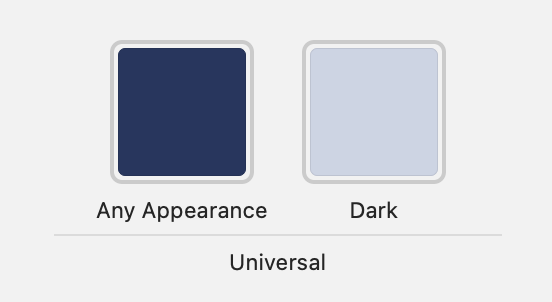
This guide explains how to customize the SDK appearance in your iOS applications. It is recommended to apply the modifications in both the light and dark (night) themes.
## Colors and logo
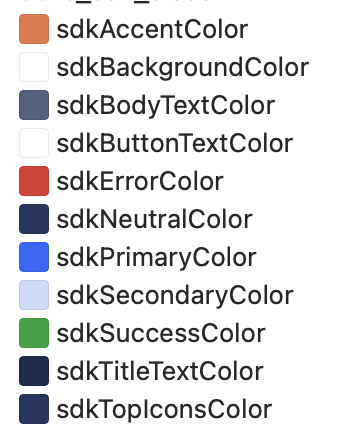
To change the colors and logo of the SDK, the following must be included **Assets** in the folder `Resources` of the client application.
### General
```
sdkAccentColor
sdkBackgroundPrimaryColor
sdkBackgroundSecondaryColor
sdkBackgroundDisabled
sdkBodyTextColor
sdkDisabledBackgroundColor
sdkButtonTextColor
sdkErrorColor
sdkNeutralColor
sdkPrimaryColor
sdkSecondaryColor
sdkSuccessColor
sdkTitleTextColor
sdkTopIconsColor
```
### Component-specific
* Video calls: `sdkActionsBackgroundColor`, `sdkButtonBackgroundColor`
* Video identification: `sdkTopIconsVideoColor`
**Note:** changing the main colors (`sdkPrimaryColor`, `sdkErrorColor`, `sdkSuccessColor`, `sdkNeutralColor`, `sdkAccentColor`) will also affect the animations.
{% hint style="info" %}
The components **Selphi** and **SelphID** use their own resource package (`zip`), so they **are not affected** by this Customization.
{% endhint %}
## Animations
If you want to modify the animations (**Lottie**) of the SDK, simply include the new animations with the **same name** in the application.
The exact names of the animations are documented in the customization section of each component.
## Texts
The texts can be customized by overwriting the value of the keys in a file `Localizable.strings`.
* The keys with the suffix **`_alt`** are the texts used in the labels for **accessibility** necessary for the functionality of **VoiceOver**.
* Each component includes the list of available keys for modification.
## Fonts
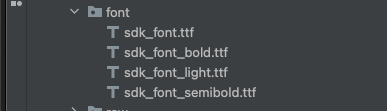
* Add the files `.ttf` to the application.
* Assign the **exact name** expected by the SDK. If the name does not match, the font will not be applied.
## Generic icons
To customize the multiple icons that appear in the SDK, create the resources in the application's ASSETS with the following names:
```
sdk_logo
ic_sdk_close
ic_sdk_close_arrow
ic_sdk_error_connection
ic_sdk_error_timeout
ic_sdk_unknown_error
ic_sdk_permission_camera
ic_sdk_permission_micro
ic_sdk_permission_generic
ic_sdk_info
ic_sdk_pager_back
ic_sdk_pager_forward
```